Your TallyPrime books, live in the app
Keep TallyPrime as your main books. The connector brings every company you open in Tally into the app — on the web and on your phone — and sends what you enter in the app back into Tally.
For Windows 10/11 (64-bit), on the PC where TallyPrime is installed. Free with your account.
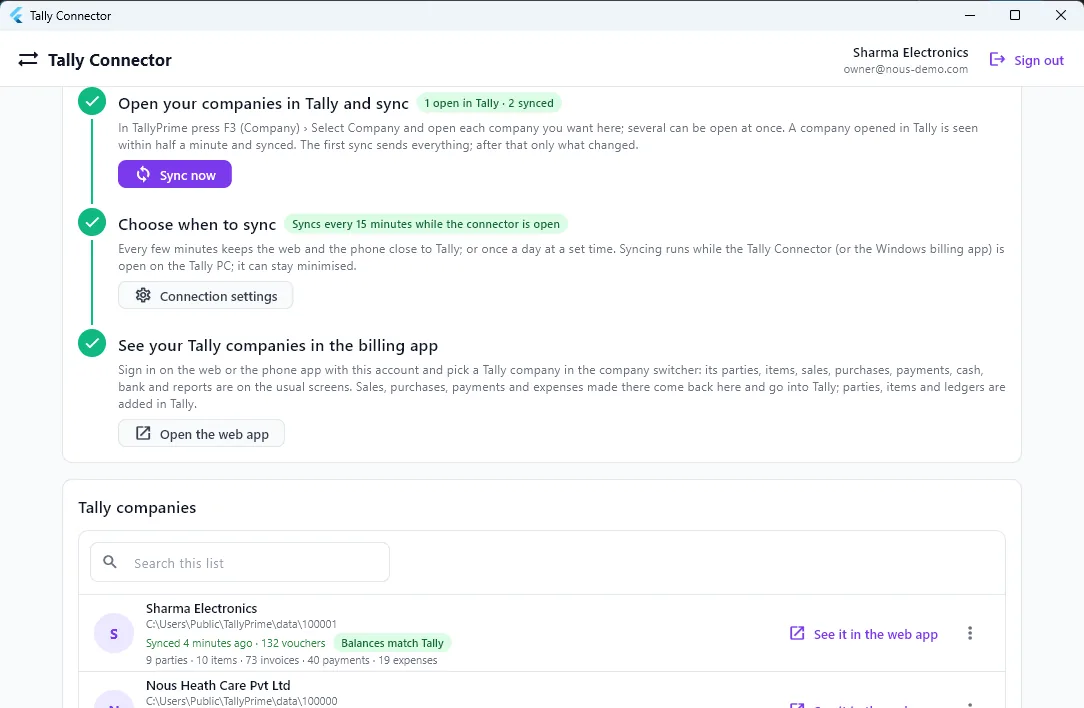
Tally stays the master. You get everywhere access.
Each company, its own company
Every Tally company appears in the company switcher with its parties, items, sales, purchases, payments, cash, bank and reports.
Checked against Tally
After every sync, each party's balance is compared with Tally's. The list shows "Balances match Tally" when they do.
Two-way for entries
Sales, purchases, payments and expenses made in the app go into Tally; editing alters and deleting cancels the Tally voucher.
Set up once, in about five minutes
Download and install
On the PC where TallyPrime is installed, download TallyConnector-Setup.exe and run it. If SmartScreen warns, choose More info › Run anyway. It starts with Windows from then on.
Sign in
Use the same email and password as the web or phone app, so your Tally companies go to your account. Owner, admin or accountant logins can connect.
Let TallyPrime answer
In TallyPrime press F1 (Help) › Settings › Connectivity. Set "TallyPrime acts as" to Both and the port to 9000, then Ctrl+A to save. Press Check connection in the connector.
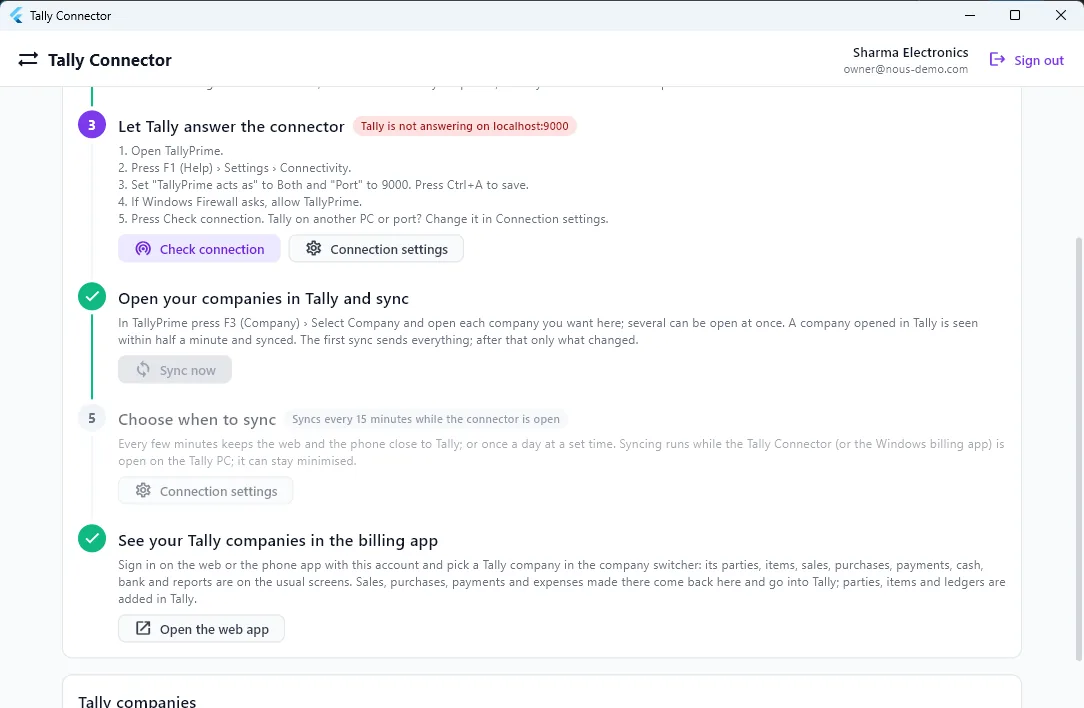
Open your companies
In TallyPrime press F3 › Select Company and open each company you want. The connector sees it within half a minute and syncs it — or press Sync now.
Choose when to sync
Every few minutes keeps the app close to Tally; or once a day at a set time. Keep the connector open or minimised — it syncs while it runs.
Work anywhere
Sign in on the web or phone and pick the Tally company in the company switcher. Parties, items and ledgers stay in Tally; new entries go back into it.
Good to know
Do I need the Windows billing app as well?
No. The Tally Connector is all you need on the Tally PC, and you use the web or phone app everywhere else. If you do have the Windows app, its built-in connector does the same job — only one of them syncs at a time on a PC.
Does it change anything in Tally on its own?
It only reads Tally, except for entries you make in the app for a Tally company (sales, purchases, payments, expenses), which it puts into Tally as vouchers. Parties, items and ledgers are always added in Tally.
Which TallyPrime versions work?
TallyPrime with its XML server switched on (Connectivity › Both, port 9000). It was built and tested with TallyPrime 7.2.
Several companies in Tally?
Open them all in TallyPrime; each one is synced and appears as a separate company in the app.
The connector says Tally is not answering.
Make sure TallyPrime is open, that Connectivity is set to Both on port 9000, and that Windows Firewall allowed TallyPrime. If Tally is on another PC or port, change it in the connector's Connection settings.
What if the PC is switched off?
The app keeps showing the data from the last sync. As soon as the PC and the connector are back on, it catches up — only what changed is sent.
Bring your Tally books online
Create an account, then install the connector on the Tally PC.